
Download FreeArc – Free, Secure, Open-Source File Compression Tool for Windows, Mac, Android & iOS
High-Efficiency Compression with Advanced Algorithms
When it comes to file compression, FreeArc stands out as a powerful yet lightweight solution that delivers exceptional performance without taxing your system. Unlike many free tools that sacrifice speed or compression ratio for simplicity, FreeArc leverages cutting-edge algorithms like PPMD (Prediction by Partial Matching), LZMA (Lempel-Ziv-Markov chain Algorithm), and GRzip to achieve industry-leading compression ratios. These advanced methods are particularly effective with large files such as high-resolution videos, complex design assets, and dense document collections.
The result? Files can be reduced by up to 30–50% more than standard ZIP or RAR formats—without any loss in quality. This is crucial for users who need to send large files via email or cloud storage, where size limits are common.
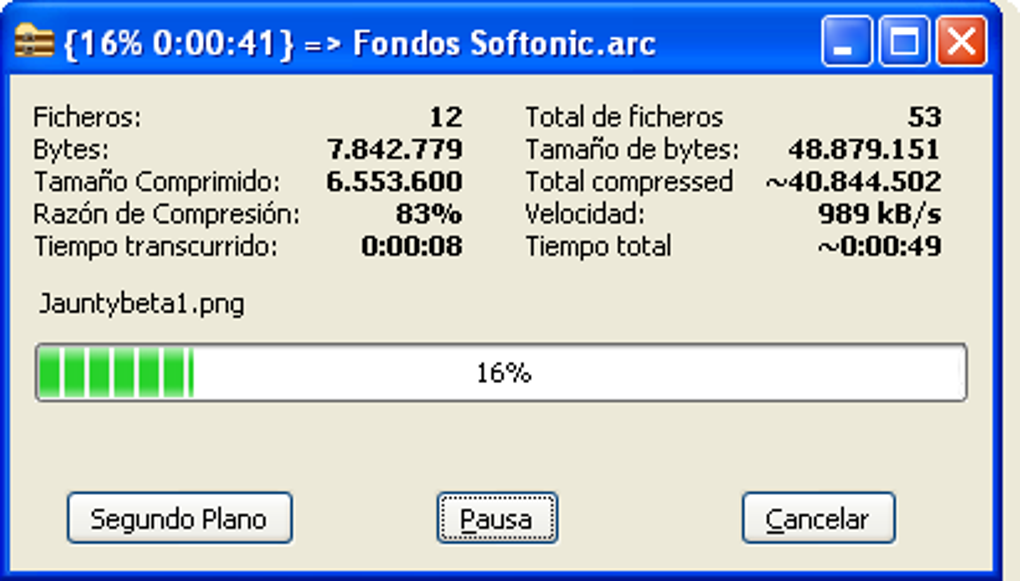
What makes FreeArc truly impressive is its ability to maintain high compression levels while keeping CPU usage low. Many compression tools slow down your computer during processing, but FreeArc is optimized for efficiency, ensuring smooth multitasking even on older hardware. Whether you're a digital artist, a student managing project files, or a professional sharing sensitive documents, FreeArc ensures your data is compact, secure, and ready to transmit.
The software also supports both archive creation and extraction, making it a complete solution for file management. Its open-source nature means the code is transparent and auditable, enhancing trust and security—especially important for users handling confidential or personal information. With FreeArc, you're not just compressing files; you're optimizing your digital workflow with a tool built for performance and privacy.
Flexible File Management & Cross-Platform Compatibility
FreeArc isn’t just about compression—it’s a full-featured file management tool designed for modern users across multiple platforms. It supports a wide range of archive formats, including ZIP, RAR, 7Z, TAR, GZ, and more, allowing seamless integration with existing workflows. Whether you’re extracting files from a legacy archive or creating a new compressed package, FreeArc handles it all with precision.
One of its standout features is the ability to generate self-extracting archives (SFX). These are standalone executable files that can be shared with anyone—even those without a compression tool installed—making file sharing effortless. Imagine sending a 2GB video project to a client who only has a basic Windows PC; with FreeArc, they can simply double-click the SFX file and extract everything without needing additional software.
This feature is a game-changer for remote collaboration and file distribution. Additionally, FreeArc integrates well with third-party tools like UDA, PAQ, ECM, and Precomp, expanding its functionality for advanced users. The software is lightweight, consuming minimal RAM and disk space, which makes it ideal for older systems or devices with limited resources.
It runs smoothly on Windows 7 and later, macOS 10.12+, and offers versions for Android and iOS, ensuring you can manage files on the go. With support for multiple languages including English, Russian, and German, FreeArc is truly accessible to a global audience. Whether you're at your desk or on a tablet, FreeArc adapts to your needs—making it one of the most versatile compression tools available today.
Easy Installation, Secure Usage, and Ongoing Updates
Getting started with FreeArc is straightforward and hassle-free. The software is 100% free to download and open-source, meaning there are no hidden fees, ads, or bundled malware—common pitfalls with many free tools. To install, simply visit the official website, download the appropriate version for your operating system (Windows, Mac, Android, or iOS), and run the installer.
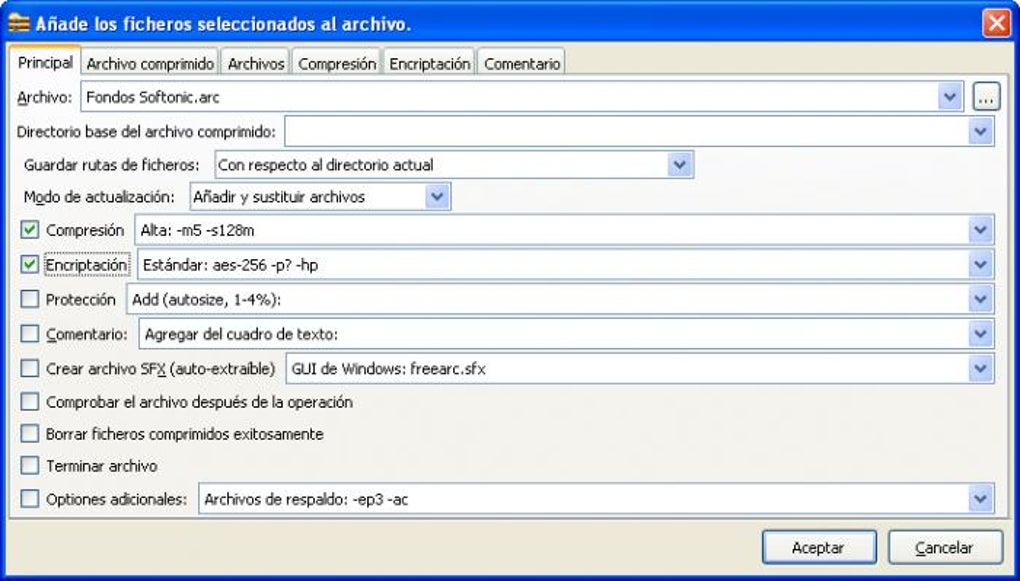
The setup process is quick, requiring minimal configuration. Once installed, the intuitive interface allows you to drag and drop files into the application, choose your compression level, and generate a new archive in seconds. For users who prefer command-line operations, FreeArc also supports batch processing and scripting, offering flexibility for power users.
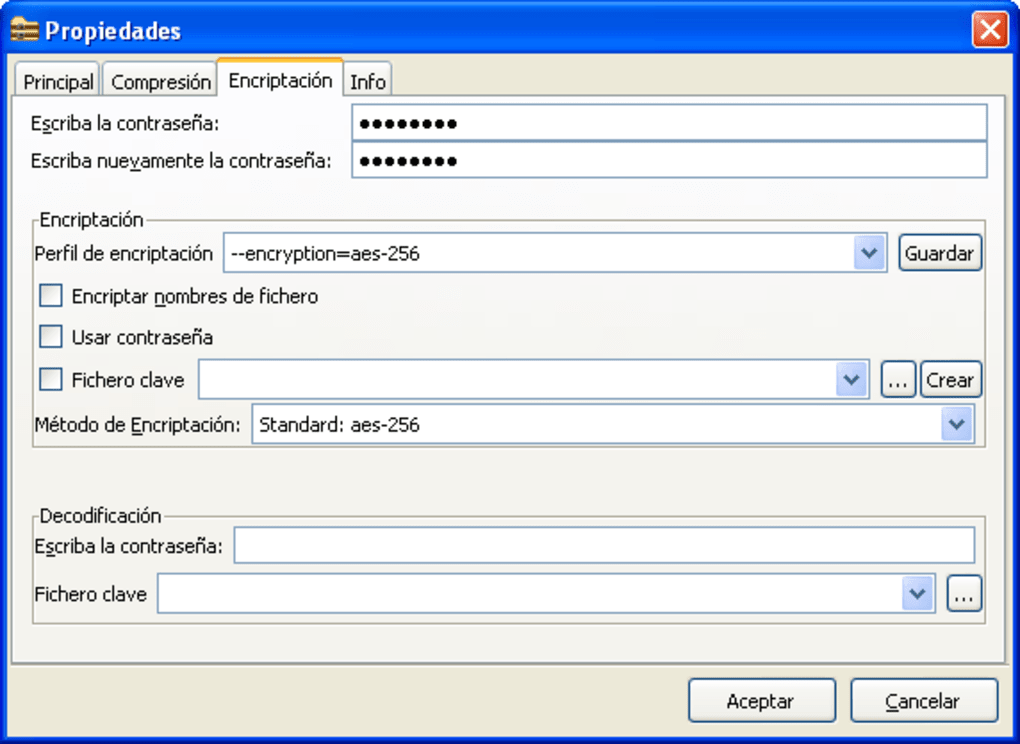
Security is a top priority: since the source code is publicly available, independent developers can audit it for vulnerabilities, ensuring transparency and trust. This is especially valuable when compressing sensitive data. FreeArc also supports password protection for archives, adding an extra layer of privacy.
Regular updates are released to fix bugs, improve performance, and enhance compatibility with new file formats. These updates are automatic and seamless, so you always have access to the latest version. The development team is active and community-driven, fostering a reliable ecosystem.
Whether you're a casual user or a tech-savvy professional, FreeArc ensures a secure, fast, and future-proof compression experience. With its commitment to privacy, performance, and user control, FreeArc proves that powerful software doesn’t need to cost a fortune.
Pros and Cons: Is FreeArc Right for You?
- Pros:
- Extremely high compression ratios using advanced algorithms (PPMD, LZMA, GRzip)
- 100% free and open-source with no ads or hidden costs
- Supports self-extracting archives (SFX) for easy file sharing
- Lightweight and efficient—low RAM and CPU usage
- Compatible with Windows, Mac, Android, and iOS
- Multi-language support (English, Russian, German, and more)
- Secure and transparent due to open-source code
- Can extract from and create archives in multiple formats
- Cons:
- Interface is minimalistic—may feel outdated to some users
- Limited community support compared to mainstream tools like 7-Zip
- No built-in cloud integration (e.g., Dropbox, Google Drive)
- Less frequent updates than commercial software
- Command-line features may be intimidating for beginners
Frequently Asked Questions (FAQ)
Is FreeArc really free to download and use?
Yes, FreeArc is completely free to download, use, and distribute. It is open-source software licensed under the GNU General Public License (GPL), meaning you can use it for personal or commercial purposes without any cost. There are no ads, in-app purchases, or premium features.
Can FreeArc compress videos and large design files without quality loss?
Absolutely. FreeArc uses lossless compression algorithms like LZMA and PPMD, which preserve the original quality of files. This makes it ideal for compressing HD videos, high-resolution images, and complex design files without any degradation.
Does FreeArc support creating self-extracting archives (SFX)?
Yes, FreeArc allows you to create self-extracting archives (SFX), which are standalone executable files. These can be shared with anyone, even those without a compression tool installed, making file sharing simple and effective.
Is FreeArc compatible with Windows, Mac, Android, and iOS?
Yes, FreeArc offers native versions for Windows (7 and later), macOS (10.12+), Android, and iOS. This cross-platform support ensures you can manage compressed files across all your devices.
How often does FreeArc receive updates?
FreeArc receives regular updates to improve performance, fix bugs, and enhance compatibility. While not as frequent as commercial software, updates are released consistently by the active open-source community.
Conclusion: The Best Free Compression Tool for Power Users
If you're looking for a secure, fast, and free file compression tool that doesn’t compromise on performance, FreeArc is an excellent choice. With its advanced algorithms, support for multiple formats, and ability to create self-extracting archives, it outperforms many paid alternatives. Its lightweight design ensures smooth operation on older systems, and its open-source nature guarantees transparency and trust.
While the interface may feel minimalistic and the community support smaller than mainstream tools, the benefits far outweigh the drawbacks. Whether you're compressing large files for sharing, organizing digital assets, or protecting sensitive data, FreeArc delivers. Download FreeArc today and take control of your file management—no cost, no risk, just powerful compression at your fingertips.
Download FreeArc now and experience the future of file compression—free, secure, and open.







